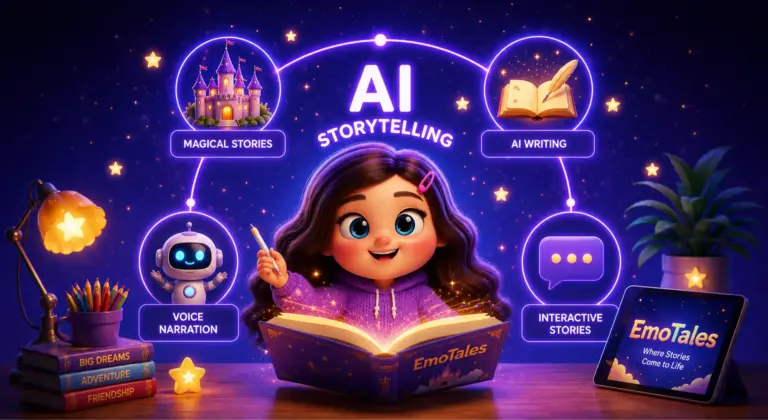
AI story apps for kids have gone from a novelty to a crowded category almost overnight. That’s good news for parents — more choice — but it also means more apps that look polished in a screenshot and fall apart the moment your child actually opens them at 8pm. We looked at how these apps differ on the things that matter most for real bedtime use: safety, personalization, narration quality, and what you actually pay once the free tier runs out.
Here’s an honest breakdown, including where EmoTales fits and where it doesn’t try to compete.
What to Look For in a Safe AI Story App
- Content moderation — is every generated story reviewed or filtered before it reaches your child, or is it raw, unmoderated AI output?
- Narration — does the app read the story aloud in a calm voice, or is it text-only on a screen your child has to stare at right before sleep?
- Personalization depth — can your child actually shape the story (characters, themes, mood), or does the app just insert their name into a generic template?
- Ads and data — are there third-party ads shown to children, and does the privacy policy specifically address children’s data?
- Real cost — subscription, per-story pricing, or a genuinely usable free tier? Prices change often, so treat any number here as a starting point and confirm current pricing on the app’s store listing.
Feature details change frequently as apps update. Always confirm current pricing, safety features, and platform availability directly on the App Store or Play Store listing before choosing.
| App | Personalization | Narration | Free tier | Best for |
|---|---|---|---|---|
| EmoTales | Child picks emojis to build the story from scratch | Built-in voice narration | Free stories included, upgrade for unlimited | Kids who want to actively create, not just receive, a story |
| Oscar Stories | Parent-entered prompts generate the story | Limited/none in some versions | Limited | Quick, parent-driven story generation |
| Bedtimestory.ai | Illustrated stories from prompts | Varies by plan | Limited free stories | Illustrated storybook-style output |
| Askie | Illustrated stories plus Q&A and homework help | Voice chat included | Limited | Families who want a story app and a homework helper in one |
| Perchance (community tool) | Genre/template based, not child-driven | Basic text-to-audio plugin | Fully free | Casual, supervised, budget-free use — not unsupervised bedtime |
Want the app your child actually asks for at bedtime?
EmoTales tops this comparison on personalization and safety — see it for yourself before you read the rest.
Best AI Story Apps for Kids — Compared
EmoTales
Instead of typing a prompt or picking from a template, your child selects a handful of emojis, and EmoTales generates a brand-new, age-appropriate story around exactly those choices, with voice narration and gentle gamification (streaks, badges) to keep the habit going. Every story is content-moderated, there are no third-party ads shown to children, and the app supports multiple child profiles and languages.
Best for: parents who want their child making the creative choices, not just receiving a passive story.
Oscar Stories
Generates short illustrated bedtime stories from a few prompts entered by the parent. The experience is parent-driven rather than child-driven, which works well for a quick story on a tired night but gives the child less of an active creative role.
Best for: parents who want to type a quick prompt and get a story fast.
Bedtimestory.ai
Focused on illustrated, storybook-style output with deeper prompt customization. Typically runs on a subscription model, with story depth and illustration quality as the main draw.
Best for: families who want a picture-book feel over an audio-first experience.
Askie
Combines illustrated story generation with open-ended Q&A and homework help, plus voice chat. It’s less a bedtime-specific tool and more an everyday AI companion app that also happens to tell stories.
Best for: families who want one app that covers both story time and daytime learning questions.
Perchance (community story generator)
A free, community-built tool with a bedtime story module and basic text-to-audio and text-to-image plugins. Quality is inconsistent since content comes from community templates rather than a moderated commercial product, and it generally lacks parental controls.
Best for: casual, supervised use when you don’t mind inconsistent quality in exchange for zero cost.
Is It Safe? COPPA & Parental Controls to Check
Not every app in this space is built with the same care. Before installing any AI story app for your child, check for:
- A privacy policy that specifically mentions children’s data and COPPA (US) or equivalent regulations
- Content moderation on AI-generated stories, not just a generic “family friendly” label
- No third-party ads shown directly to children
- Parental controls you can actually access and adjust
EmoTales is built around all four of these from the ground up — every story is moderated, there are no ads shown to children, and parents get full control over screen time, categories, and account settings.
See why EmoTales is different — try it free tonight
Let your child pick a few emojis and get a brand-new, narrated, age-appropriate story in seconds.
Conclusion: Which AI Story App Should You Pick?
There’s no single best AI story generator app for kids — the right pick depends on whether your child wants to actively build the story or just receive one, whether narration matters more than illustrations at your house, and how much you’re willing to pay once the free tier runs out. What should never be negotiable, whichever app you choose, is content moderation, no ads shown to children, and a privacy policy that actually addresses children’s data.
If your child likes making creative choices rather than just listening, EmoTales — pick a few emojis, get a brand-new narrated story — is built around exactly that, with every story moderated and zero ads shown to kids. Try it free tonight →
Frequently Asked Questions
The good ones are, but safety varies a lot between apps. Look for content moderation on every generated story, no third-party ads shown to children, clear parental controls, and a privacy policy that specifically addresses children’s data (COPPA compliance in the US). Free community-built tools without moderation are riskier than dedicated kids’ apps.
Most dedicated kids’ story apps use a free tier with limited stories per day or week, then move to a subscription or per-story price. Fully free, unmoderated community tools exist but generally lack parental controls, consistent quality, and safety review, so they’re better suited to supervised use than unsupervised bedtime routines.
Pricing models vary. Some apps charge a flat monthly or annual subscription, others charge per generated story (commonly a couple of dollars per story), and some offer a limited free tier before requiring payment. It’s worth checking each app’s current pricing on its App Store or Play Store listing, since these change frequently.
Prioritize content moderation, no ads shown to children, real parental controls, calm and age-appropriate narration, and a privacy policy that addresses children’s data specifically. Personalization depth (how much input your child gets) and voice narration quality matter most for whether the app actually gets used at bedtime.